


myIBC Card Controls Is Now Live!
How to Get Started
- The new myIBC Card Controls app is available for download on the App Store (iOS) and Google Play.
- Have your current username and email address ready to register on the new app.
- If your debit card was turned OFF, you need to download the new app to turn it back ON to use your debit card.
- Registration on the new app must be completed to receive transaction notifications.
- Transaction history from the previous app will not carry over; however, your transactions can always be reviewed in Online Banking.
- New transactions can be viewed on the new app once setup is complete.
Need Help Making the Switch?
Our Customer Support team can assist with registration issues, card ownership transfers, account verification, and troubleshooting. Call 1-888-355-7900 for assistance.


Frequently Asked Questions
Overview
- What is myIBC Card Controls? myIBC Card Controls is a mobile app that gives you more visibility and control over how your debit card is used. You can manage card transactions, receive alerts, and quickly take action if your card is misplaced or if you notice unusual activity.
- What are the key features of the myIBC Card Controls app? Key features include turning your card on or off, receiving real-time alerts, managing certain transaction controls, viewing card activity, and getting helpful information when a transaction is declined.
- What is a push notification? A push notification is an alert sent directly to your mobile device from the app. These alerts can notify you about card purchases, declined transactions, security updates, or changes to your card settings.
Transition to the New App
- Why was a new app created? The new app was created to provide an improved card controls experience with updated technology, enhanced security, and a more user-friendly way to manage debit card controls and alerts.
- What are the main differences from the previous app? The biggest change is that a debit card can now be registered to only one app account at a time. The first person to complete card verification becomes that card's controller.
The new app also supports multifactor authentication and is available in Spanish. - When does the old app sunset? The old app sunsets on November 17 at 12:01 a.m. The new myIBC Card Controls app will be available for download on November 17 at 6:00 a.m.
- What happens if I do not download the new app? You will lose access to Card Controls features and alerts once the previous app is no longer supported. Download the new app and register on the designated date.
- What happens if I have both apps? After November 17, 2026, once you register on the new app, the previous app will no longer send you transaction alerts or provide controls.
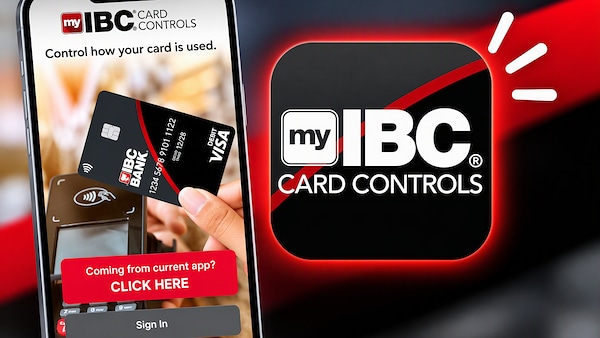
- What does the new app look like? The new app has an updated look and feel designed to make navigation simple. Look for the myIBC Card Controls name and icon in the app store, then follow the registration steps provided. You can choose a red or blue theme.
Registration, Login, and Account Access
- Does the email used to register for the new app have to match the email used for the previous app? Yes. During initial registration, a verification code is sent to the registered email address. You can change your email later under Settings/Profile.
- What are the password requirements? Use 12 to 20 characters with at least one uppercase letter, one lowercase letter, one number, and one special character from !@#$%^&*(). Spaces are not allowed. Your password must differ from your last three passwords.
- How many incorrect password attempts are allowed? Three incorrect attempts are allowed.
- Will I receive password-change notifications? Yes. Every password change—whether made in Settings or through the Reset Password or Unlock flow—triggers a confirmation email to the email address on file.
- How many registration attempts are allowed before lockout? Five incorrect attempts using the same card within 30 minutes will lock that card for 24 hours. Ten failed attempts across different cards from the same device within 60 minutes trigger the same 24-hour lock.
- Does a registration suspension reset after a certain time? Yes. The lock clears automatically after 24 hours. If you need access sooner, contact Customer Support.
- What should I do if I have trouble logging in? Use the app's more prominent self-service Unlock or Reset Password option and complete the required verification steps. If you still cannot log in, contact the myIBC Card Controls Help Desk at 888-355-7900 or visit a branch for assistance.
- What if the card is already registered to another account owner? A card can be linked to only one app account. If it is already registered, contact the myIBC Card Controls Help Desk at 888-355-7900 to verify ownership and request that registration be moved to another eligible account holder.
- What if I never used the previous Card Controls app? Download the new myIBC Card Controls app, create an account, register your debit card, and set up your alerts and controls. If registration does not work or the card shows as already registered, contact the myIBC Card Controls Help Desk at 888-355-7900.
Card Eligibility and Account Management
- Can I add my ATM card to myIBC Card Controls? No. Only debit cards can be added to myIBC Card Controls.
- Can I manage more than one debit card? Yes. The Dashboard lists every eligible card on your account, each with its own controls, alerts, and on/off status. You can also rearrange the order of the cards displayed on the Dashboard so frequently used cards are easier to find.
- Can I add a child’s, spouse’s, or parent’s debit card to my Card Controls account? No. Under the one-app-account-per-card policy, each person registers their own card under their own account. A card can be linked to only one app account at a time.
- How can I remove an old debit card from my Card Controls app? There is no delete option. You can turn the card off or use the Card Hiding feature to remove inactive or turned-off cards from the Dashboard view without deleting their records. A replaced or reissued card is not removed automatically; call 210-829-3211 if an old card must be removed.
Controls, Limits, and Alerts
- Can I turn my card off if I misplace it? Yes. Use the On/Off toggle next to the card to change its status.
- Can I control online, in-store, or merchant-category transactions? Yes. Under Manage Controls, you can block specific Transaction Types, such as online, ATM, contactless, or mobile-wallet transactions, and Merchant Types, such as gas stations or restaurants. These are transaction blocks, not alerts.
- Can I see my debit card limits? Yes. Spending Limits under Manage Controls show your current per-transaction and monthly limits.
- Can I raise my debit card limit in Card Controls? No. Card Controls lets you set limits at or below the card's issued spending limit. To request a limit increase, call IBC Voice or visit your nearest branch.
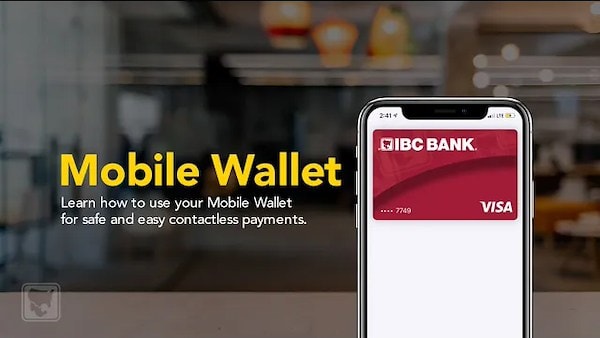
- Can I see whether my card is added to a mobile wallet? Not directly. The app does not show whether the card has been added to a mobile wallet, but you can control whether contactless and mobile-wallet transactions are allowed under Transaction Types.
- Why am I not receiving alerts? Check alert levels and category toggles under Manage Alerts. Confirm that push notifications are allowed in your phone settings and that the app is up to date.
- Why did my transaction decline? The decline notification identifies the reason, such as the card being turned off, a blocked transaction or merchant type, an exceeded limit, an international purchase outside an allowed country, or an unexpected location. Some declines allow a short retry window directly from the notification.
Travel Controls
- Can I place travel notes in Card Controls? Card Controls does not use traditional travel notes. Under Manage Controls, you can define allowed regions on a map and add allowed countries under International Travel. In-person transactions outside those regions or countries will decline. Add your destination before traveling and remove it after you return.
Security and Customer Support
- How can I protect my Card Controls profile? Use a strong, unique password and consider enabling biometric sign-in. The app's multifactor authentication adds security by requiring a one-time code for sensitive profile changes. Keep your email current because security codes are sent there. Never share a one-time code, review alerts regularly, and sign out on shared devices.
- Does the app require multi-factor authentication? Yes. The app may require a one-time code for sensitive profile changes, including changes to your email, phone number, or profile name. If you entered a code within the last 15 minutes, you may not be prompted again during that trusted period. Changing the language or theme does not require a code.
- What if I need to change my contact information? Update your contact information under Settings/Profile. Because email and phone changes are sensitive, you must enter a one-time verification code sent to your email before the change is saved.
- Will my username change if I change my email under the Profile tab? No. Your username is set when you create your account and remains separate from your contact email. Changing your email under Settings/Profile does not change your login username.
- What should I do if my card is lost or stolen? Turn the card off immediately under Card Detail/Card Status to block new transactions. Then contact Customer Support to report the card lost or stolen and request a replacement. A reissued card will have a new number and must be registered again.
- What are the Customer Service hours? myIBC Card Controls Help Desk hours are Monday through Friday, 8:30 a.m.-5:30 p.m., and Saturday, 9:00 a.m.-1:00 p.m. The number to the help desk is 888-355-7900. To report a lost or stolen card call the number on the back of your debit card.